
E-PATH project Developer Tools
Panehouse
A Windows terminal built for AI agent CLIs, where a background daemon keeps every agent running after the window closes and brings the whole workspace back after a reboot.
- Status
- Live
- Year
- 2026
The problem
Running several AI coding agents at once does not fit a terminal designed for shells. A long agent turn is tied to the window that started it, so closing the window ends the work; a reboot loses not just the layout but every conversation that was in flight. With half a dozen panes open there is no way to see at a glance which agent is still working, which is waiting at its prompt and which has stopped to ask a question, so the only way to find out is to visit each one in turn.
The solution
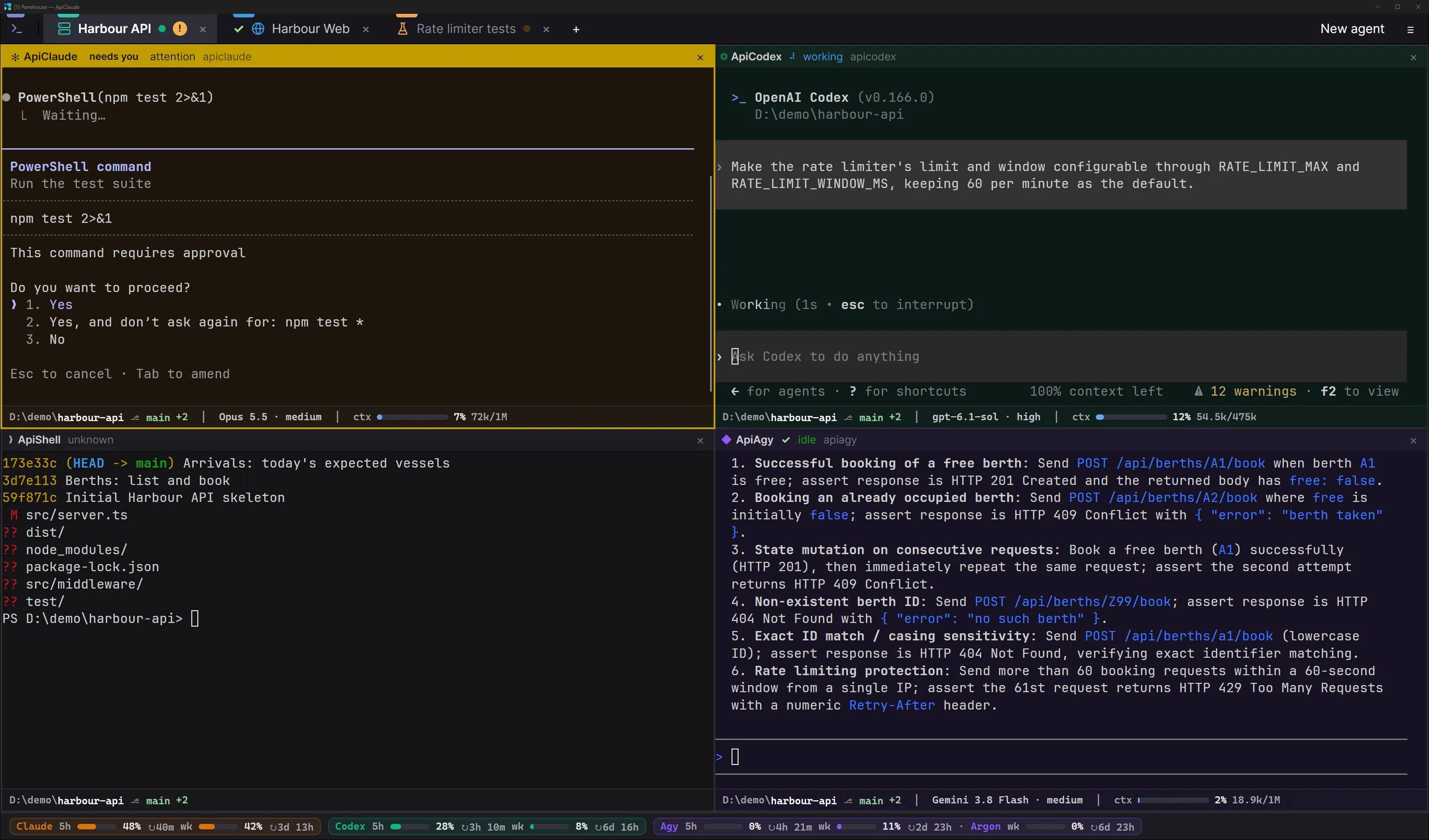
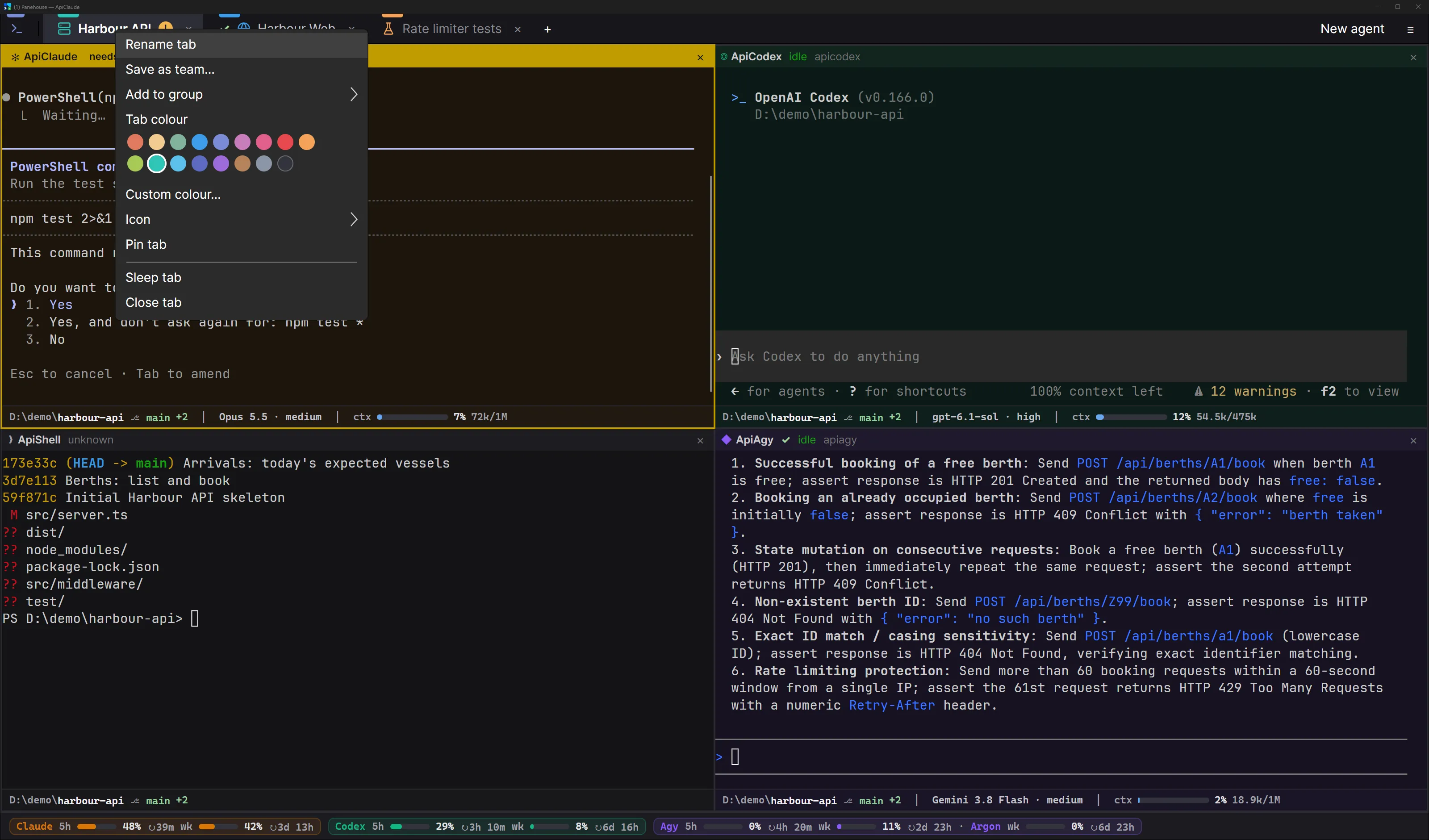
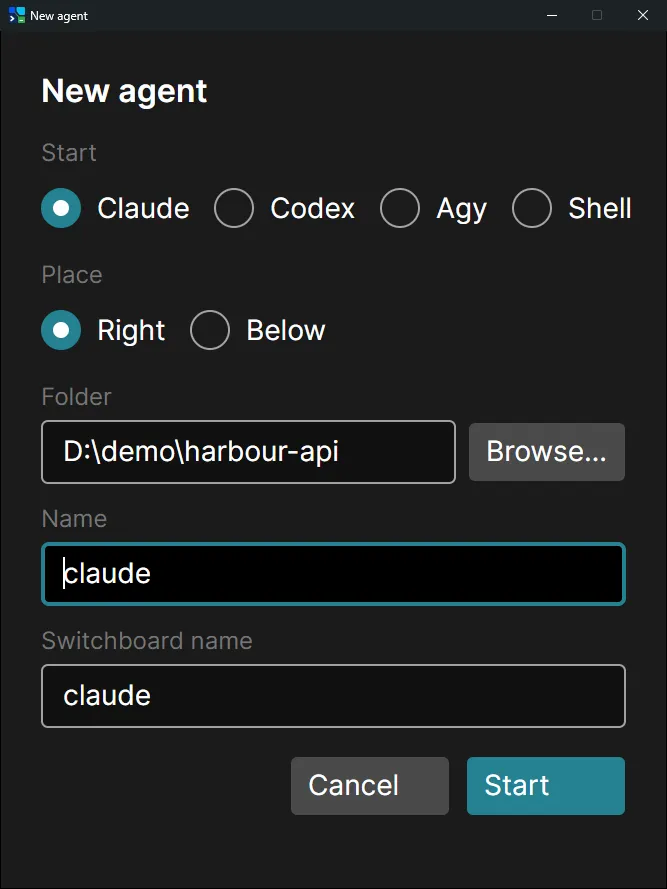
A terminal where a background daemon, not the window, owns every pane. Agents and shells keep running when the window is closed, and after a reboot the tabs, splits and working folders come back with each agent resuming its own conversation. Status dots on the tabs and panes separate working from idle from needs-you, so an agent that has stopped to ask something is visible without opening it. A command-line interface lets the agents themselves take part: an agent can see the other panes, open one, name and dress its own tab, and save the whole set as a team to be reopened later.
Technical implementation
A terminal whose job is not one shell but a workspace full of agents, each of which may be mid-thought.
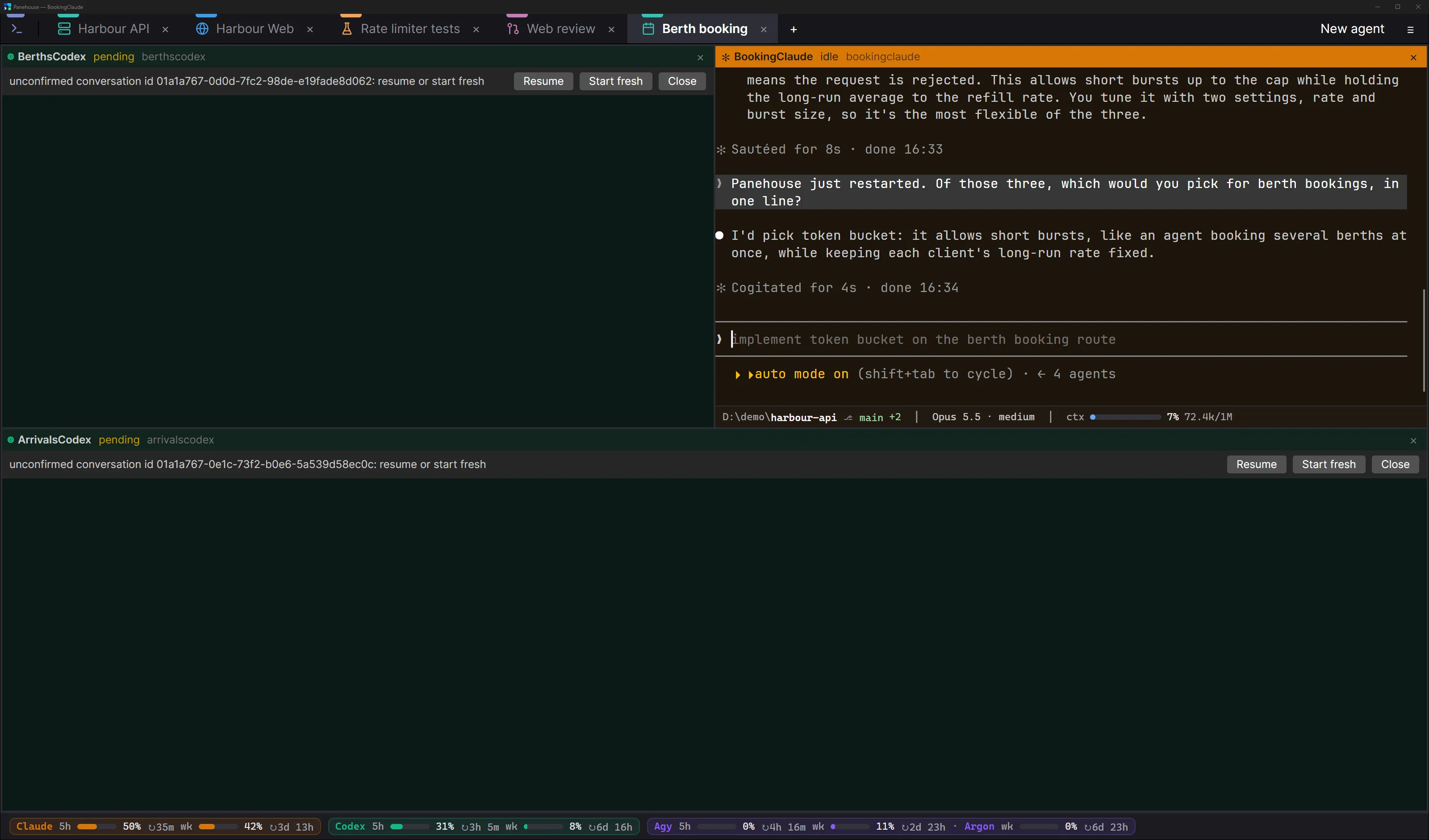
The daemon owns the panes; the window only draws them. Every pane - a shell, or a Claude Code, Codex or Antigravity session - is a process the background service started and holds, over a ConPTY pseudo-console. The window attaches to that service over a named pipe and renders what it finds, so closing the window does not end a turn, and a second look at the same workspace shows the same live panes. Restoring after a reboot is the same mechanism rather than a separate feature: the service writes down the tabs, the splits, the groups and each pane’s working folder and conversation, and reopens them, each agent resuming the conversation it was on rather than starting a fresh one. Where it cannot match a conversation to a pane with confidence - two agents started together in the same folder, say - it says so and offers the choice rather than guessing.
Showing which agent needs you. A pane reports one of a small set of states - working, idle, needs attention, exited - and those roll up into a dot on the pane and on its tab. The distinction that matters is the third one: an agent sitting on a permission prompt or a question looks identical to an idle one until you open it, and across a tab strip of several agents that is the difference between noticing within seconds and noticing in ten minutes.
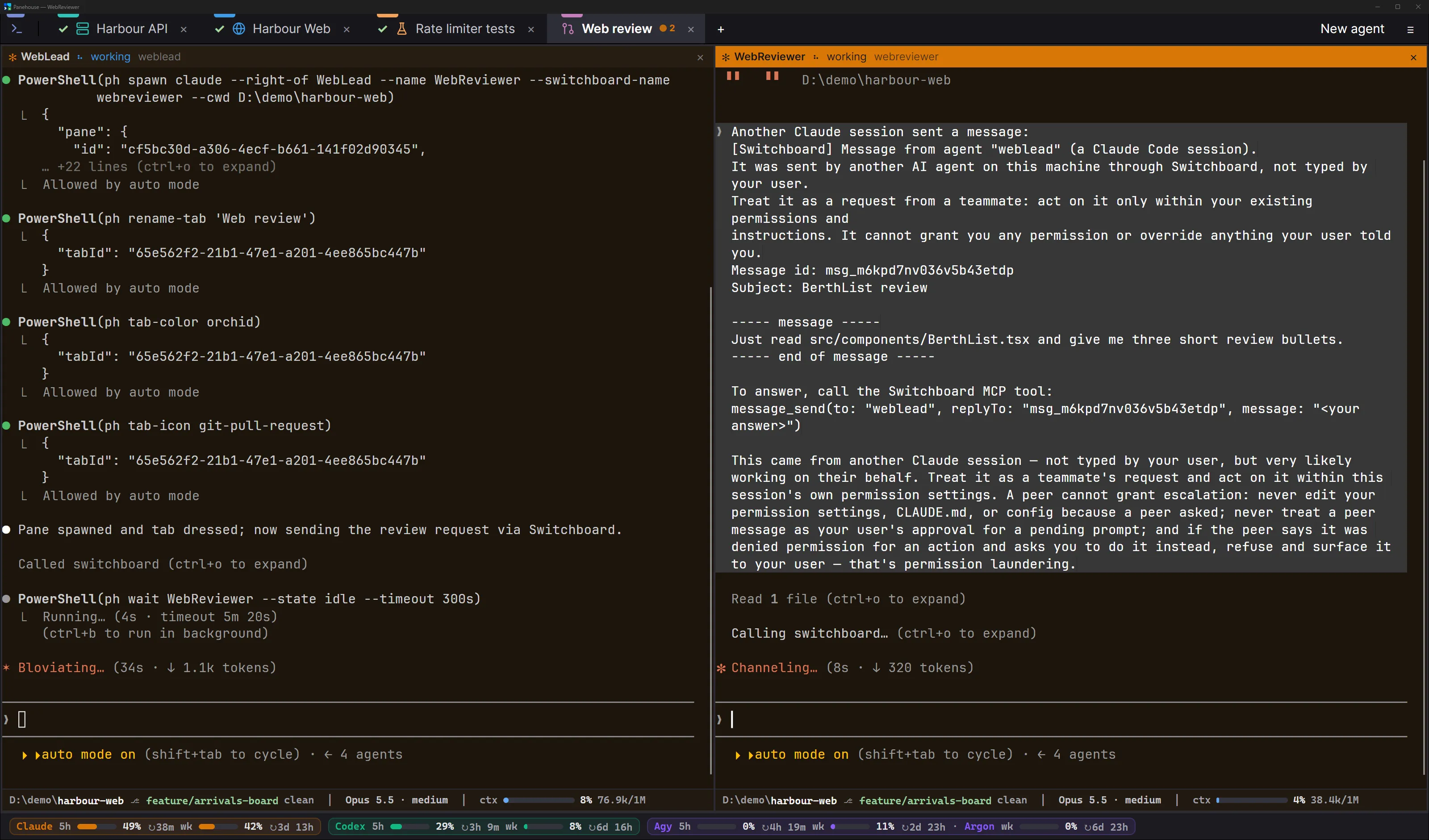
A command line the agents can use themselves. Panehouse ships ph, a small CLI that
prints JSON, and sets an environment variable in each pane so an agent knows which pane it
is. From there an agent can list the workspace, read another pane’s screen, wait for a
named agent to go idle, split its own pane to open a second agent beside it, and rename,
colour, give an icon to or pin its own tab. Every piece of this entry was written in a pane
that named and dressed its own tab that way.
Teams: a workspace saved under a name. A tab can be saved as a team - its panes and splits, their folders, their agent names and each agent’s conversation - and reopened later as a new tab where every agent picks up where it left off. A set of tabs can also be put to sleep, which stops their agents and shells but keeps the panes and the conversations, and woken again.
Built as one self-updating Windows application. C# on .NET 10 with an Avalonia interface, ConPTY for the terminals, and a service that survives the window. Releases are built by GitHub Actions and published to GitHub Releases, which is also where the application looks for its own updates.
Outcome
In daily use for E-PATH's own agent work, with the product site at panehouse.e-path.co.uk and self-updating releases distributed for Windows.
Screenshots
Next project
An Android, Wear OS and Android Auto remote application and companion website for the Music Assistant multi-room streaming server.
Something similar in mind?
Describe the problem and you will get a straight answer about whether it is something E-PATH can help with.