
E-PATH tool Automation
Pi Dash
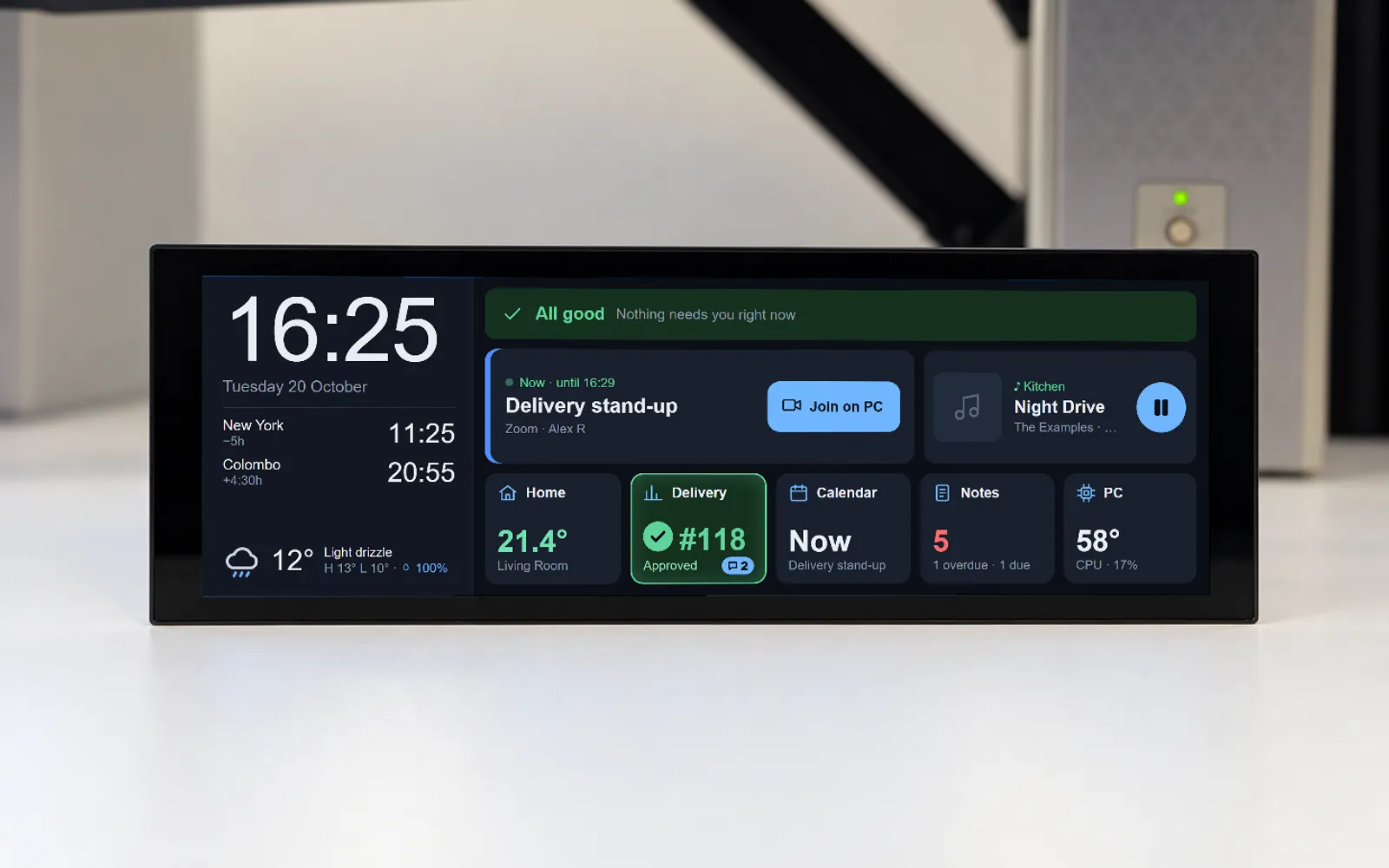
A 1280×400 touch dashboard on a Raspberry Pi that puts the day's meetings, the house, music, PC health and code-review status on one glanceable bar beside the monitors.
- Status
- In active use
- Year
- 2026
The problem
A working day was spread across too many places at once: meetings in Outlook, pull requests and CI runs in GitHub, local development environments, the PC's own temperatures and disks, the house's heating and lights, and the music. None of it was urgent enough to deserve a window, and all of it was worth knowing. Checking any of it meant interrupting whatever was on the two monitors to go and look.
The solution
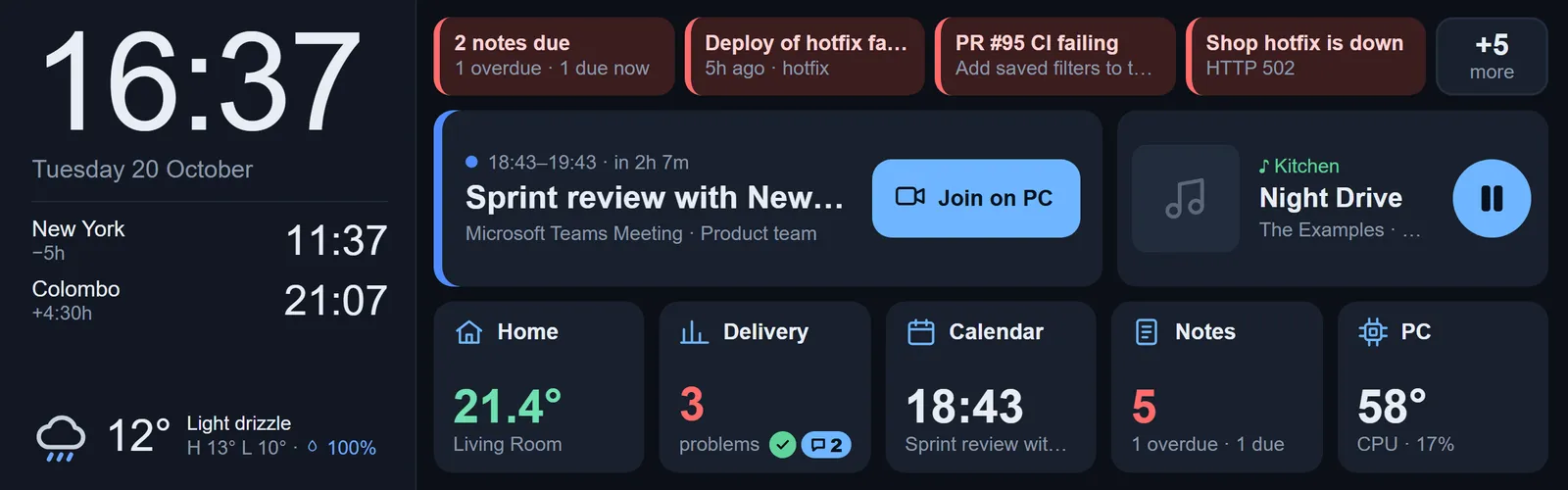
A slim always-on touch panel under the monitors, showing one overview: what currently needs attention, the next meeting with a one-tap way to join it on the PC, what is playing, and a live tile for each area. Tapping a tile opens the full page behind it. A small Python service on the Pi holds the state and streams changes to the screen; a tray application on the PC feeds it the things only the PC knows, and carries out the actions that have to happen back on the PC.
Technical implementation
An always-on bar of glass under the monitors, showing the things that are worth knowing and never worth a window.
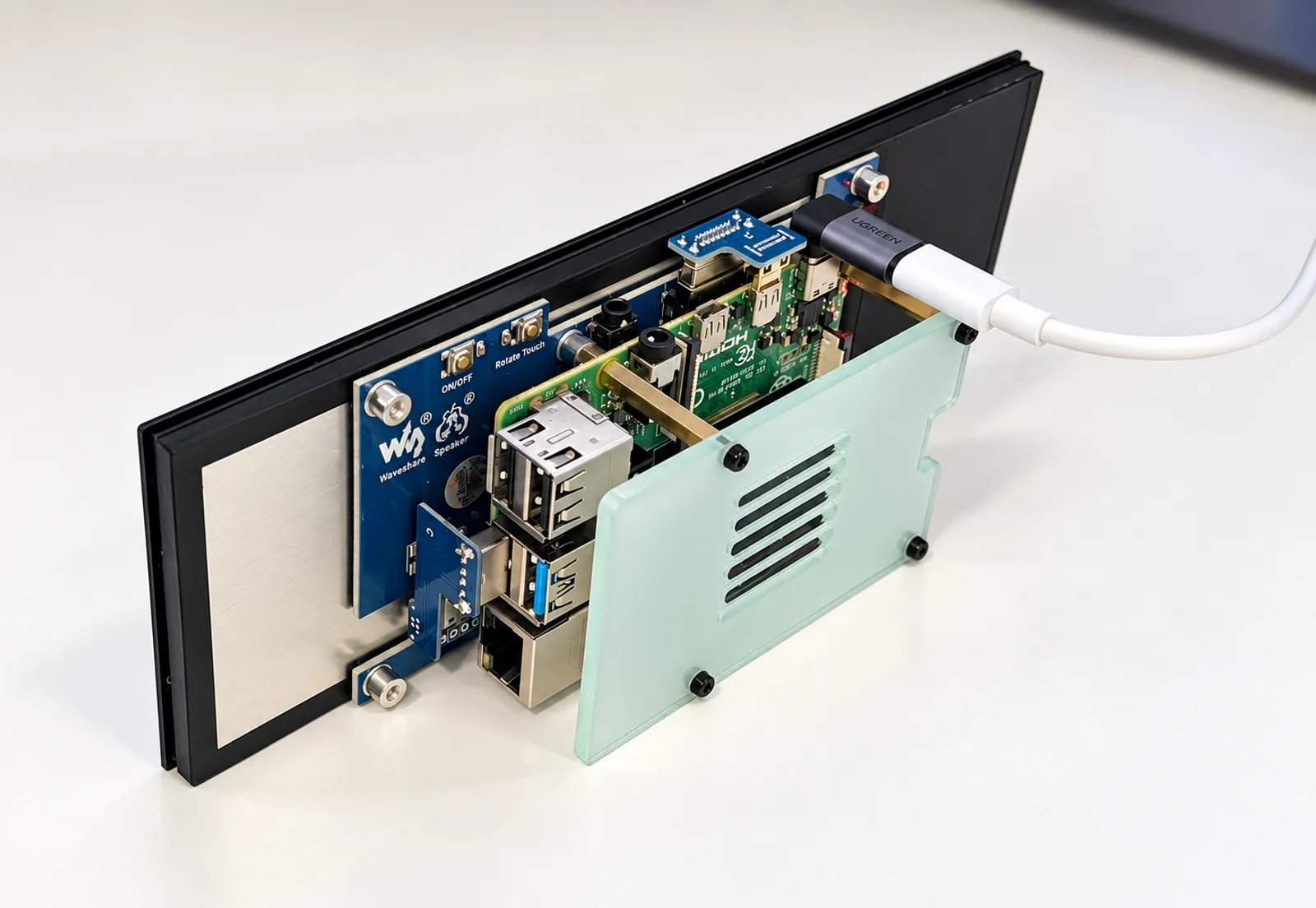
A 1280×400 panel, run as a kiosk. The hardware is a Waveshare 7.9” HDMI touch panel on a Raspberry Pi 4, rotated into landscape with kanshi, running Chromium in kiosk mode under labwc. labwc delivers touch as emulated mouse events rather than as touch events, so every swipe, long-press and hold-to-confirm in the interface is built on pointer events instead. The whole design is constrained by having 400 pixels of height and no keyboard: touch targets of at least 60px, an overview that never scrolls, and a return to that overview once the screen has been left alone for a while.
One state store on the Pi, streamed to the browser. The server is a Python service built on the standard library alone — no framework. It serves the front end, keeps a single in-memory picture of current state, and pushes every change to the browser over Server-Sent Events, so the screen is never polling. It proxies Home Assistant so that token never reaches the browser, and will only make service calls against entities named in its own configuration. It fetches weather from Open-Meteo and polls GitHub for pull requests, review threads, workflow runs, deployments, branch drift and site health, with ETag caching so an unchanged answer costs nothing against the rate limit. A ranking step turns all of that into the single ordered “what needs you” list along the top of the overview. Deployments are timestamped releases behind a symlink, keeping the last five.
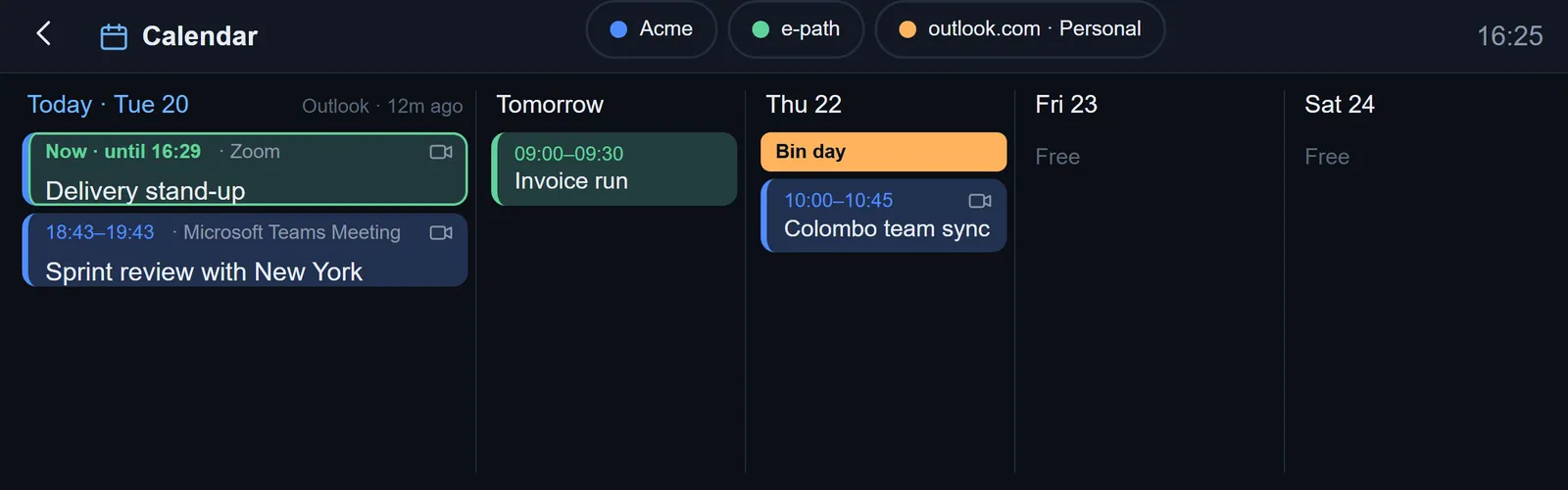
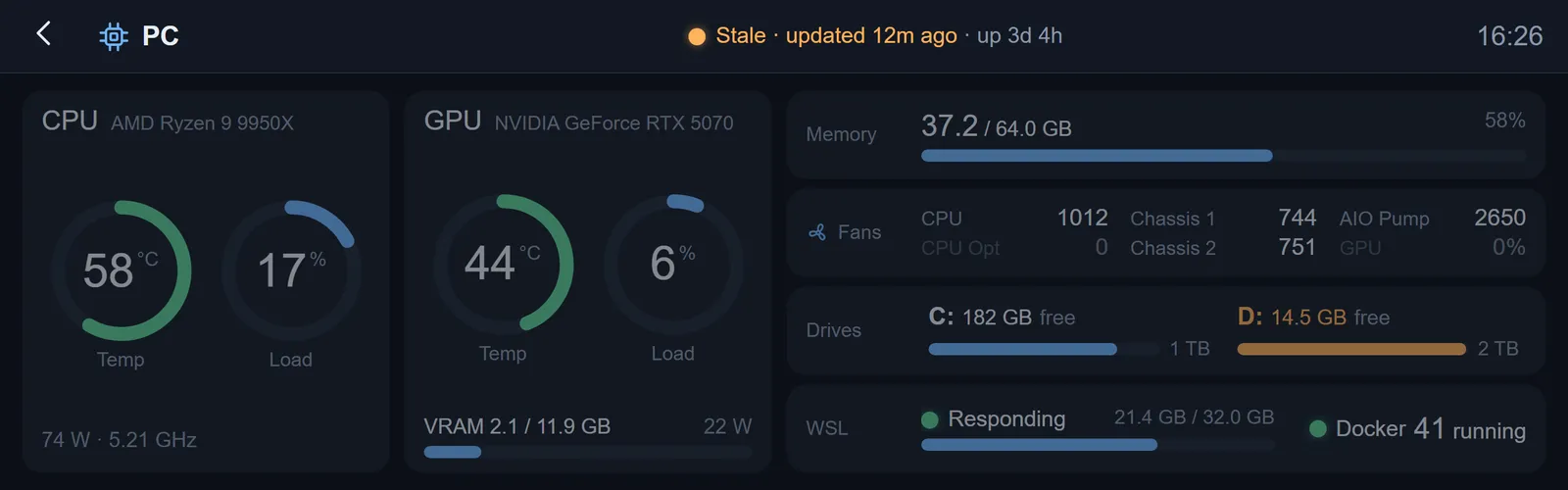
The PC half, over MQTT. A .NET 10 tray application on the desktop publishes to a Mosquitto broker on the Pi, where each MQTT user may only write its own topics. It sends the next seven days of calendar events, read out of Outlook over COM on a dedicated STA thread, and CPU, GPU, fan and drive sensors gathered by a small elevated helper using LibreHardwareMonitor. It subscribes to an allow-list of commands coming back the other way — open a meeting link, open a pull request, open or complete a note — and URLs are validated at both ends before anything is launched. A separate tool publishes the state of the local Docker development environments the same way.
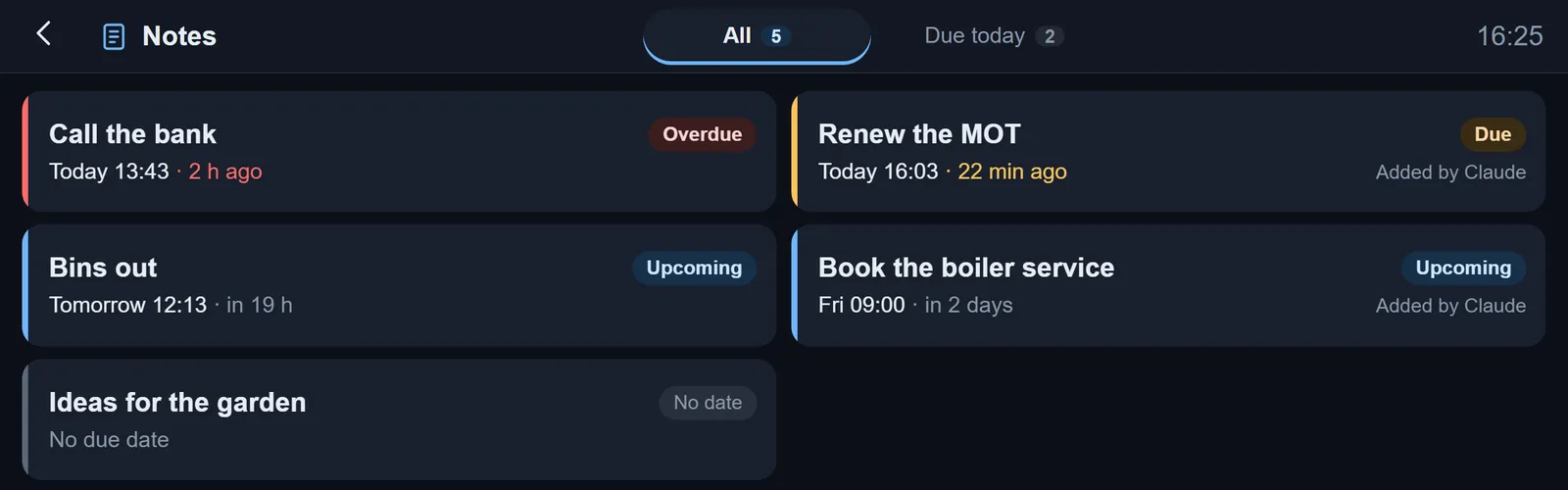
Notes are just files. Each one is a markdown document with a small header — title, due time, who added it — in a folder on the PC. A file watcher publishes them to the panel, so a person, an editor or an AI agent can add a note by writing a file and nothing else. A note that falls due appears on the overview, becomes overdue an hour later, and collapses with the others into a single “N notes due” chip that opens the day’s list. The panel renders the markdown properly, tables and task lists included, and holding “Mark complete” on the touchscreen moves the file into a Done folder back on the PC.
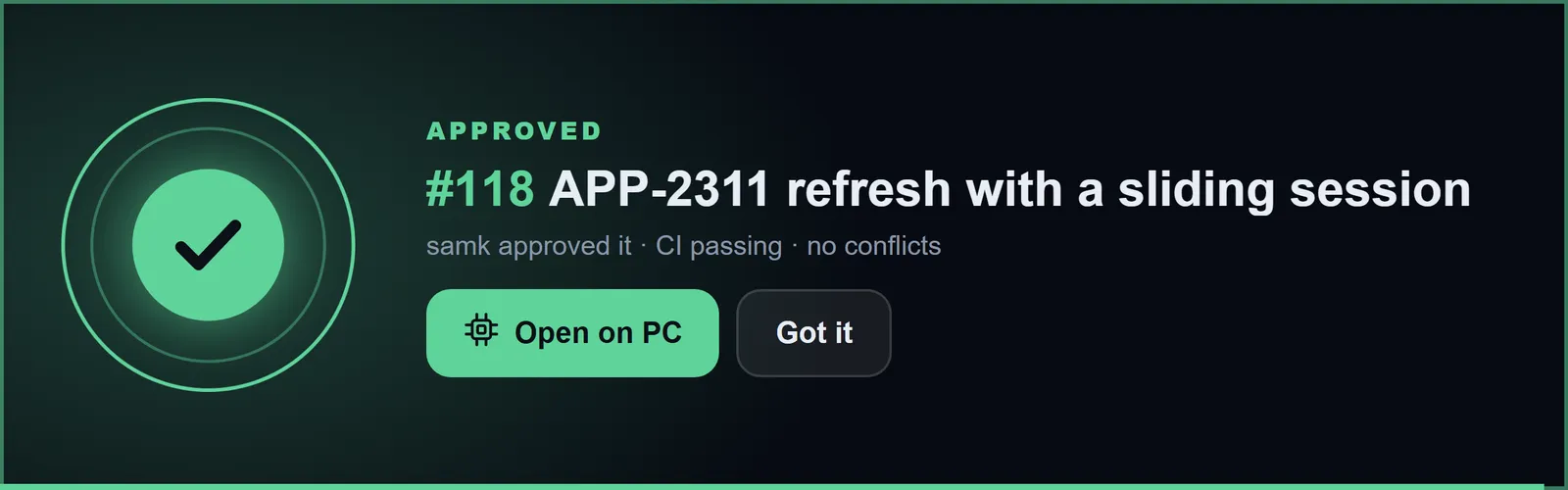
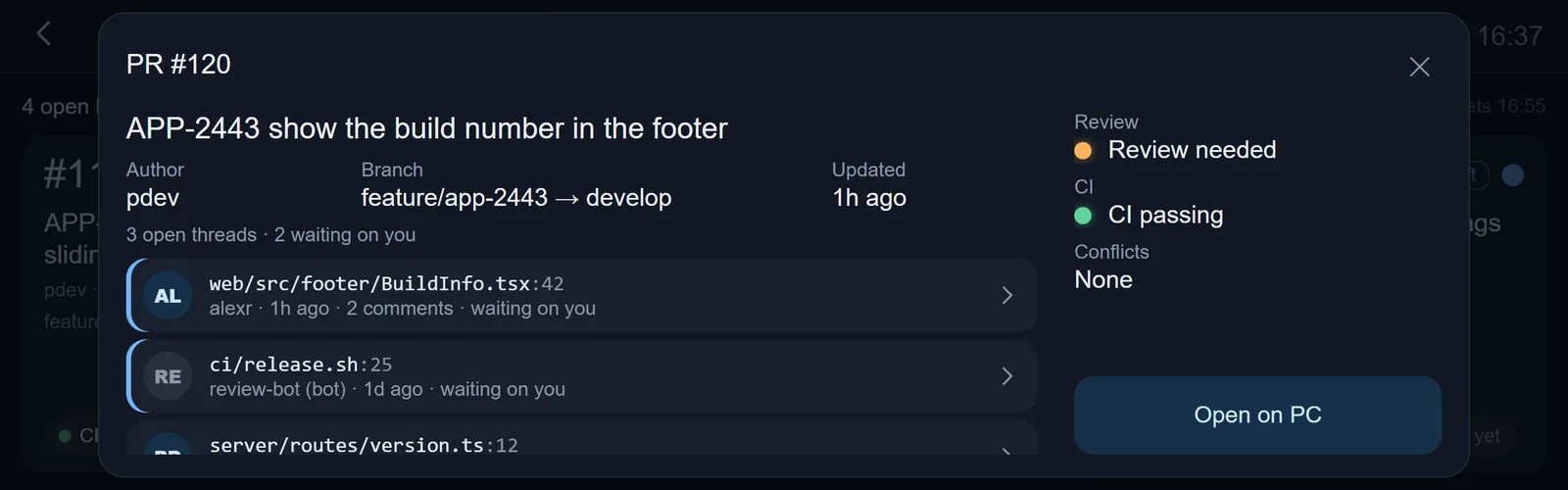
Code review, without opening GitHub. The tile for the work repository turns green with a tick when one of your own pull requests is approved, and carries a count of the review threads still waiting on you — a thread counting as waiting when it is unresolved and somebody else spoke last. A fresh approval also gets one full-screen banner, shown once. Tapping through lists the open threads by file and line, and any of them can be opened on the PC from the panel.
Borrowing the PC’s mouse. Win+Esc hands the desktop’s mouse and keyboard to the panel: the tray application captures them with low-level Windows hooks and streams pointer positions over MQTT at QoS 0, coalesced to at most one message every 8ms, and the Pi injects them through Linux uinput as a virtual tablet and keyboard so that Chromium sees ordinary input. A brief halo marks the cursor as it crosses in either direction. In the same spirit, the music page drives Music Assistant, and the stereo balance of the office speakers is set by talking to the Google Cast pair directly.
Screenshots
Something similar in mind?
Describe the problem and you will get a straight answer about whether it is something E-PATH can help with.